Baseline security mode is now live in tenants. You’ll find it under Settings/Organization/Baseline Security Mode. It is much more comprehensive than the 4 conditional access policies it replaces. Baseline Security reaches into many of the applications in your tenant.
Here’s an example. Block access to Exchange Web Services. Just tick off the box and EWS is blocked. But what are the implications?
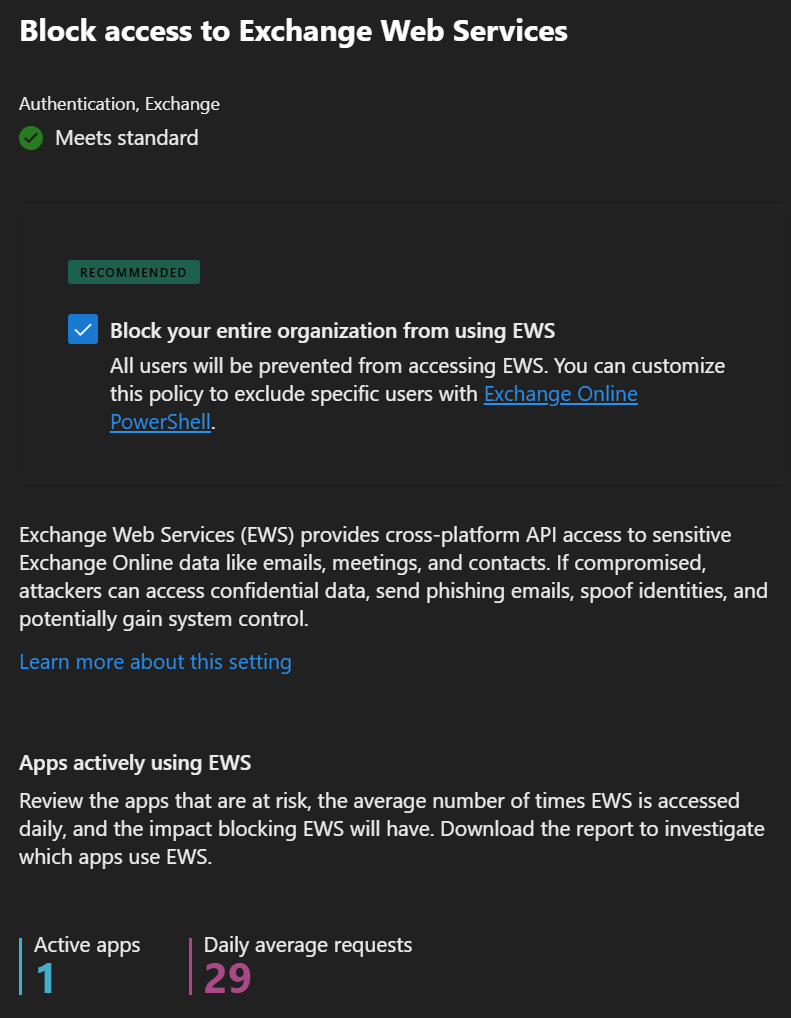
As you can see above, there’s 1 app in this tenant that not only uses EWS but uses it regularly. Before I get that information though, I had to opt into user information collection. Without opting in the admin is blind to the impact of the policy change.
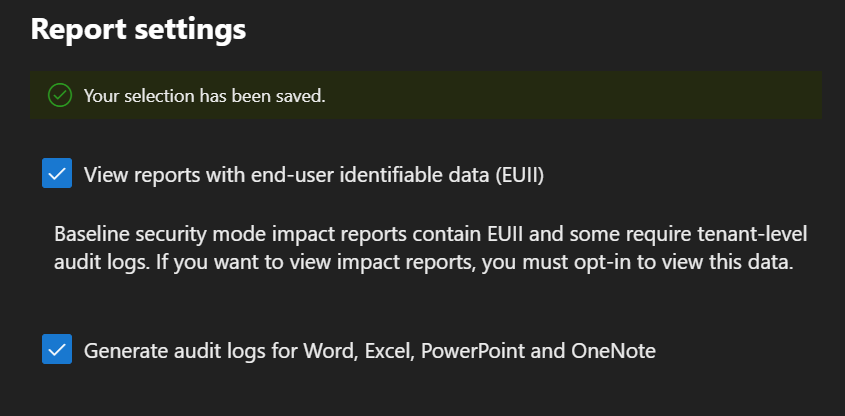
Once you opt-in the general impact shows up nearly instantly. But you also get a detailed spreadsheet.
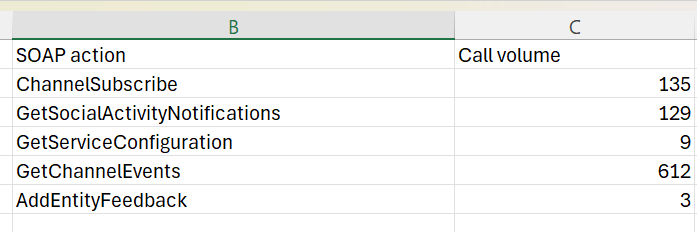
Here I see the SOAP that makes the calls. In addition to the columns you see here, there is also one for the APPID. This allows me to locate the app and use that information along with the information above to determine how severe the impact is going to be.
In this case, it is a service principle so I can’t see it in my Entra Enterprise App listing but a quick internet search turns up that it’s outlook desktop.
Use caution when implementing Baseline Security and check the user impact before implementing.